Hyundai Digital Key turns a compatible phone or smartwatch into another way to access and start an equipped vehicle. It can make everyday handoffs easier by keeping vehicle access in the device you already carry. At Blaise Alexander Hyundai of State College, we can show you how the system works with a compatible model and device.
Your Compatible Device Becomes a Key
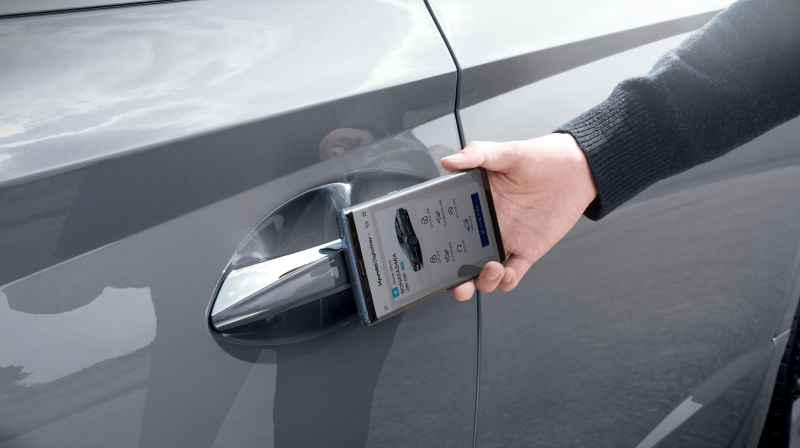
With Hyundai Digital Key 2, you can use a compatible phone or smartwatch to lock, unlock, and start an equipped Hyundai vehicle. Digital Key 2 Touch uses near-field communication, allowing you to hold your device near the driver's door handle for entry and place it on the wireless charging pad to start the vehicle. On compatible vehicles and devices, newer Digital Key technology can provide even more convenient access without requiring the same tap-to-unlock process.
Share Access Without Passing the Key Fob
Vehicle sharing becomes simpler when another trusted driver needs access. Hyundai Digital Key 2 lets the primary user share a digital key with up to three people through compatible smartphone wallets. You can manage when a shared key may be used and revoke it later, making the arrangement easy to adjust when plans change.
Setup Starts in the MyHyundai with Bluelink® App
Getting started begins with Bluelink® enrollment and the MyHyundai with Bluelink® app. From there, select the Digital Key option and follow the prompts on your phone and vehicle display. Pairing procedures can vary based on the Hyundai model and compatible device, so follow the instructions provided for your specific vehicle and phone or smartwatch.
Explore Hyundai Digital Key in State College, PA
Hyundai Digital Key is designed to make vehicle access fit more naturally into your connected life. We can help you identify compatible vehicles and walk through the feature before you drive home. Visit
Blaise Alexander Hyundai of State College to see how this thoughtful technology can simplify your routine.